Two Easy Ways to Start Earning Rewards!
Become a member today! Members-only pricing and offers, personalized care notifications, Vital Care points back on every purchase and more!
 Become a credit card member today!
Earn 2X Pals Rewards points at Petco
when you use Petco Pay!APPLY NOWLearn More About Petco Pay Benefits
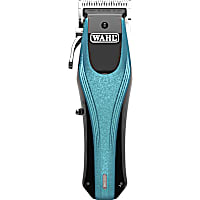
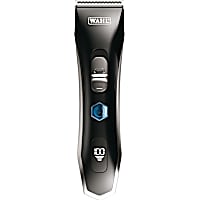
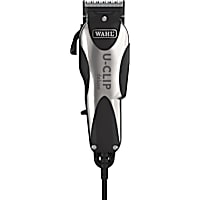
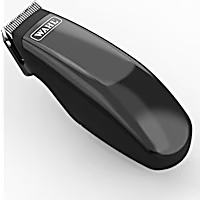
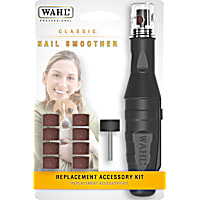
Wahl Dog
Get It Today




Related Searches
Related Articles & Questions
- Grooming
Dog Sprayed by Skunk? 10 Steps to Remove the Smell
It can be stressful to deal with a dog that has been sprayed by a skunk. Find out how to get rid of the skunk smell on your dog, and how long the smell will last.
Updated on June 19th, 2026
- Grooming
Winter Grooming for Dogs
Learn how to groom your dog during the winter, and keep an eye out for winter-related concerns like icy paws, matting, and more.
Updated on August 28th, 2025
- Seasonal Topics
Top 9 Mother's Day Gifts for Dog Moms: Unique Ideas Pet Parents Love
Explore Petco's top 9 picks for Mother's Day gifts this season, from cute tees to unique accessories.
Updated on October 23rd, 2025
- Training & Behavior
Dog Harness or Collar: How to Choose the Right Fit
Find the best dog harness, collar or leash that suits your dog and will keep them comfortable and safe.
Updated on June 19th, 2026
 New Pet
Easy Dog Training: Essential Tips for a Happy, Well-Behaved Dog
Training a dog takes time, understanding, patience and consistency. Understanding your training options and the dog training basics will help you--and your dog--be set up for success.
Updated on October 23rd, 2025
- Health & Wellness
Affordable clippers for double-coated dogs for at-home grooming?
I'm a fan of both the Andis and Oster clippers for dogs. Other brands that I've tried do not seem to have sufficient power to work through a dense coat. Be sure to use either a longer blade or guards to cut Mia's coat to your desired length. Personally, I like using a 3 3/4 blade for my fluffy pup. Hope this helps!
Updated on September 24th, 2025
- Vet Q & A
How do I get pet food and supplies delivered automatically by Petco?
**How does Autoship work?** ---------------------------------- - Get your everyday pet essentials delivered right to your door at the guaranteed lowest online price, you can save up to 20% off and free shipping on every qualifying order! - Autoship lets you schedule your favorite pet food and supplies for automatic delivery. No more last minute trips to the store - Autoship will ship your pet essentials right to your door. - All the products your pet needs on a regular basis are available. Choose from food, pest control, medications, vitamins, supplements and much more for all pet types. **What types of products are available?** ----------------------------------------- - **Dogs:** A variety of dry and canned dog food formulas, treats, pest control, vitamins and supplements, medications, waste pickup bags, select toys - **Cats:** A variety of dry and canned cat food formulas, treats, litter, litter box liners, litter odor control, catnip, pest control, vitamins and supplements, medications, calming aids, select toys - **Fish:** A variety of fish food, sea salt, water conditioners, vacation feeders, vitamins and supplements, medications, water tests, filter cartridges - **Small Animals:** A variety of foods, treats, bedding and litter, hay and grass, vitamins and supplements, maintenance supplies - **Reptiles & Amphibians:** A variety of prepared and live food, vitamins/supplements, medications, sand and substrate, filter media, maintenance supplies - **Birds:** A variety of foods, treats, vitamins/supplements, medications, habitat litter and liners, nesting materials, select toys **How do I set-up a Autoship?** -------------------------------------- - Browse [petco.com](http://petco.com/) for the items you want to schedule for Autoship - Enter the quantity of each item you want and click the button. - Fill out the "Set Your Schedule" form - Click the "Review Cart" button - Review your cart and proceed to Checkout to complete your subscription setup ### *Note: Items will not ship until the first shipment date you set. You will not be charged until your order ships.* **How do I add a new item to my subscription?** ----------------------------------------------- - On the product page, enter the quantity of the items you want. - Click on "Schedule Autoship" - Sign in to Your Account to add to the new item to an existing Autoship subscription or create a new subscription. - Confirm your order details, then click "Schedule" ### *Note: You must complete the Checkout process to add new items to your Autoship subscription. The items will be shipped with your next Autoship order. Some items cannot be added to a Autoship order. You will be notified of this at Checkout.* **How do I add one-time items to my Autoship?** ------------------------------------------------------ **If you are signed in:** ------------------------- - View the product page - Choose to add the product once to your upcoming order - Confirm your decision - That's it! You'll receive the product with your next order. **If you are not signed in:** - If you are not signed in, select to add the product on to your upcoming order - You will be asked to sign in - Confirm decision - That's it! You'll receive the product with your next order ### *Note: Receive free shipping on all of your repeat deliver orders. If you add a one-time item to you upcoming Autoship order, that will ship for free too! If multiple orders, you can choose which order to ship your product.* **How do I edit my Autoship schedule?** ---------------------------------------------- 1. Sign into your [petco.com](http://petco.com/) account 2. In the "Autoship" section, select the subscription you wish to modify 3. On the Update Autoship page, you can change: your shipping address, payment method, quantities, delivery frequency, next ship date; or delete your Autoship Schedule 4. Click "Update Schedule" to save any changes **How do I apply my Petco Perks Dollars to my Autoship order?** ----------------------------------------------------------------------- - For new Autoship customers: You are given the option to apply your Petco Perks Dollars when you schedule your first shipment. Simply check the box labeled "Apply all my available Petco Perks Dollars." - For existing Autoship customers: Log into your account and in the "Account Name & Delivery Options" section, check the box labeled "Apply all my available Petco Perks Dollars" then "Update Schedule" - By checking this box, whenever a scheduled Autoship order is being created for shipment, all available Petco Perks Dollars will automatically be applied in $5 increments (For example, 15 Reward Dollars applied to a $14 order will result in a $4 order charge with 5 Reward Dollars remaining for future use) You can opt-out anytime by logging into your Autoship account and deselecting the same box **How do I edit my Autoship schedule?** ---------------------------------------------- - Sign into your [petco.com](http://petco.com/) account. - In the "Autoship" section, select the subscription you wish to modify - On the Update Autoship page, you can change: your shipping address, payment method, quantities, delivery frequency, next ship date; or delete your Autoship Schedule. - Click "Update Schedule" to save any changes ### *Note: You can change any part of your Autoship subscription up to three days before your order is scheduled to ship.* **Can I apply additional promotions to my Autoship?** ------------------------------------------------------------ - Since Autoship Subscribers enjoy our lowest online everyday prices on food and great limited-time offers on supplies, most Petco promotional offers do not apply to Autoship orders. Please read each promotion's Terms and Conditions to see if the offer can be applied to your Autoship. - Free shipping is limited to items that are eligible for Autoship
Updated on September 24th, 2025
- Health & Wellness
When is dog spay surgery typically done for same-day pickup?
I'm a nervous mom too, so I certainly understand what you are going through. The way most vet clinics do surgery is that we try to do all surgeries before 1 pm, so they have at least a few hours to recover before they are sent home. Most vets prefer to do dog spays first, so Sienna may already be done with surgery! Often, we do not call after each surgery is over, but will call after all surgeries are over for the day to verify pick up time. But every vet clinic does things differently, so I can't be sure how your vet clinic does things. I'm sure everything is going well, but if you really need to know if Sienna is done with surgery, you can always call to check on her. It certainly wouldn't be the first time an owner has called to check on their baby. Good luck! I hope that made you feel a little better. Thanks for using Petco Pet Education Center, formerly Petcoach.
Updated on September 24th, 2025
- Health & Wellness
How can I track my Petco order for the pet mite spray delivery?
Shipping times can vary depending on location and product stock. You can email support@Petco Pet Education Center, formerly Petcoach.com for further assistance. You may need to provide an order number or email address so your order can be tracked.
Updated on September 24th, 2025
- Training & Behavior
My dog bites during grooming. How can I safely groom him at home?
Thank you for using Petco Pet Education Center, formerly Petcoach! Unfortunately, I cannot prescribe any medications for Marley without having examined him myself. If he is extremely aggressive while being groomed, you may want to consider having him sedated and groomed at your vet's office. This will mean that Marley is closely monitored during the sedation and supported with fluids and heat if necessary. Your vet can also perform a thorough exam, and ensure that Marley's heart and lungs are healthy enough to handle the sedation. At home, you can try calming chews available in most pet stores, and consider getting Marley a muzzle to keep yourself safe.
Updated on September 24th, 2025